
1.) Go to globaltesol.com
2.) Click “In Class” Menu.

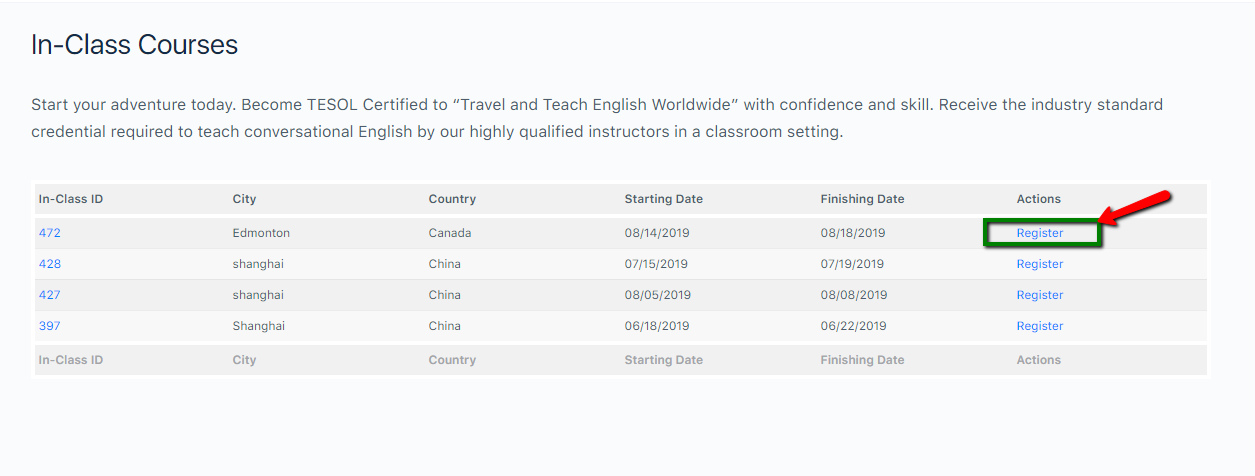
3.) Click “Register” option for the inclass schedule you want to enroll.
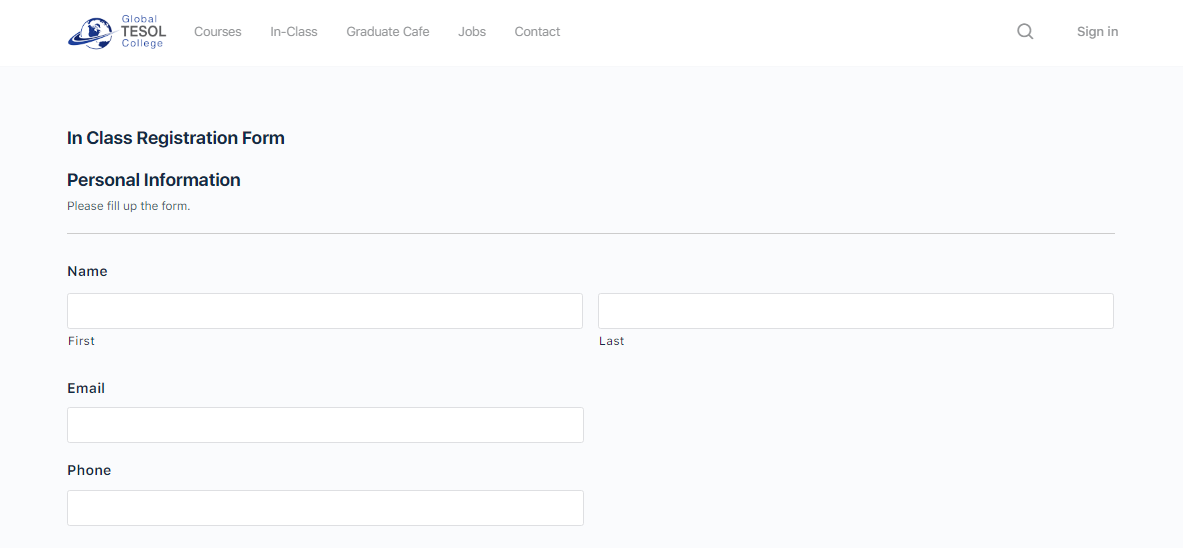
4.) Fill up only the “Personal Information” Section. Do not change the “In Class Details” section.
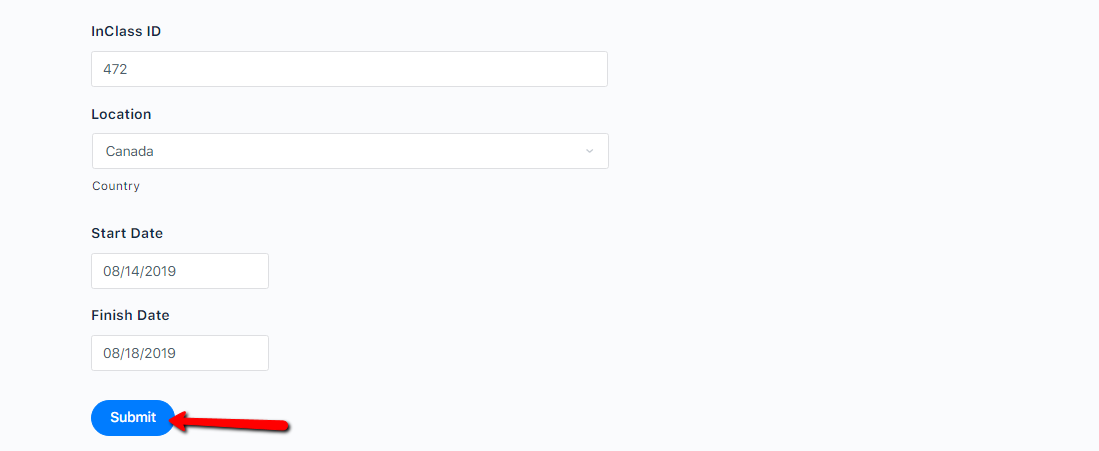
5.) Hit “Submit” button
1.) Go to globaltesol.com
2.) Click “In Class” Menu.
3.) Click “Register” option for the inclass schedule you want to enroll.
4.) Fill up only the “Personal Information” Section. Do not change the “In Class Details” section.
5.) Hit “Submit” button